Three updates just landed in RER Pro, all designed to help you win more business (and close faster):
1) Community Deals (I HAVE / I NEED)
Post what you have, post what you need, and collaborate with other brokers inside RER Pro. You can message the poster instantly to move the deal forward without leaving the platform.
How to access it? You can’t miss it, it’s the green button on your dashboard. Click it

Click Add Deal to access the deal form. Fill the form and click submit to start collaborating.

Use the messaging capabilities to contact the deal poster and move the deal forward.

2) sqm or ft² — your choice
You can now display prices and sizes in sqm/m2 or sqf/ft².
Set it once in Profile Settings, and your dashboards/reports follow that preference.
Click on Settings in the top right corner, scroll down, and choose your preferred units.

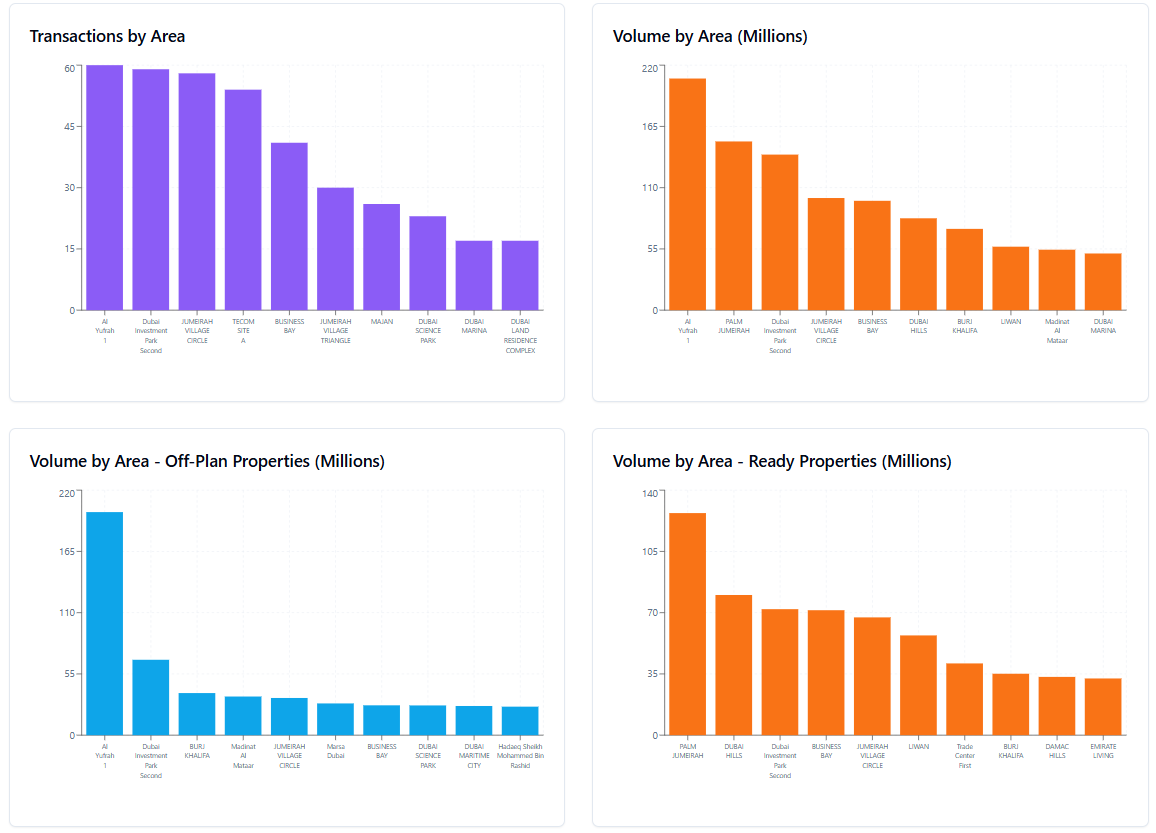
3) League Tables in Custom Dashboards
Add a League Table widget to your dashboard and instantly rank performance,
e.g., Top 10 Areas by Value Traded, bottom 10s, and more, so your clients see “who’s winning” at a glance.
You can find it at the bottom of the sidebar in the Custom Dashboard page, click on it to add it to your dashbaord.


👉 Open RER Pro and try the new features: